
You have been told to "use AI on your data," and you run a studio, not an engineering team.
You can ask a general AI assistant like Claude useful questions about your gym's numbers this week. You use a plain CSV export, no developer. What you cannot do, out of the box, is point it at your CRM to read your members directly. That gap, and how to work around it safely, is the whole story. The rest covers what works today and where the EU privacy line sits. It also covers why "just connect it to my software" is real for some tools but not yet for gym CRMs.
Using ChatGPT instead of Claude? The companion guide for ChatGPT walks the same path, re-checked for how ChatGPT behaves (it runs the numbers a little differently).
Key takeaways
- A general AI assistant cannot see your gym CRM on its own. The working method is a manual loop: export a CSV, drop it into a Claude Project, and ask in plain language.
- You do not need a developer. If you can run a report in your CRM, you have the skill.
- Member personal data is a real privacy consideration. On consumer plans your chats can be used to train models by default. So anonymize the export first (strip names and contacts, use an ID) and share only the fields the question needs.
- "MCP" is the connector standard that lets AI tools plug into live data. It already works for tools like Gmail and Stripe, but almost no gym CRM has built one yet.
- A different category of tool already unifies your gym data and has AI built in. You ask questions inside the product, with no export at all.
What Claude actually is, and whether it's useful for a gym
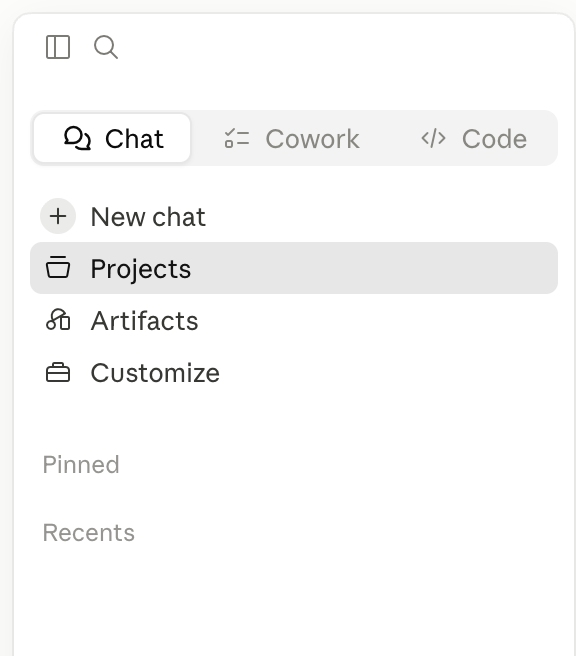
Claude is a general-purpose AI assistant, and yes, it is useful for a gym. But that runs through a specific feature, not the chat box you have tried. That feature is Projects. A Claude Project is a persistent workspace where you upload files once, and Claude keeps them in context across every conversation (Anthropic Help Center). No re-pasting your data every time. That is the difference between "a chatbot" and "a thing that knows your gym's numbers."
Projects accept CSV uploads, which is exactly what your CRM exports. So a member list, an attendance report, or a payments export can sit in the Project and be queried in ordinary language. The skill you need is asking a clear question, not writing code.
Can it work with your real member data?
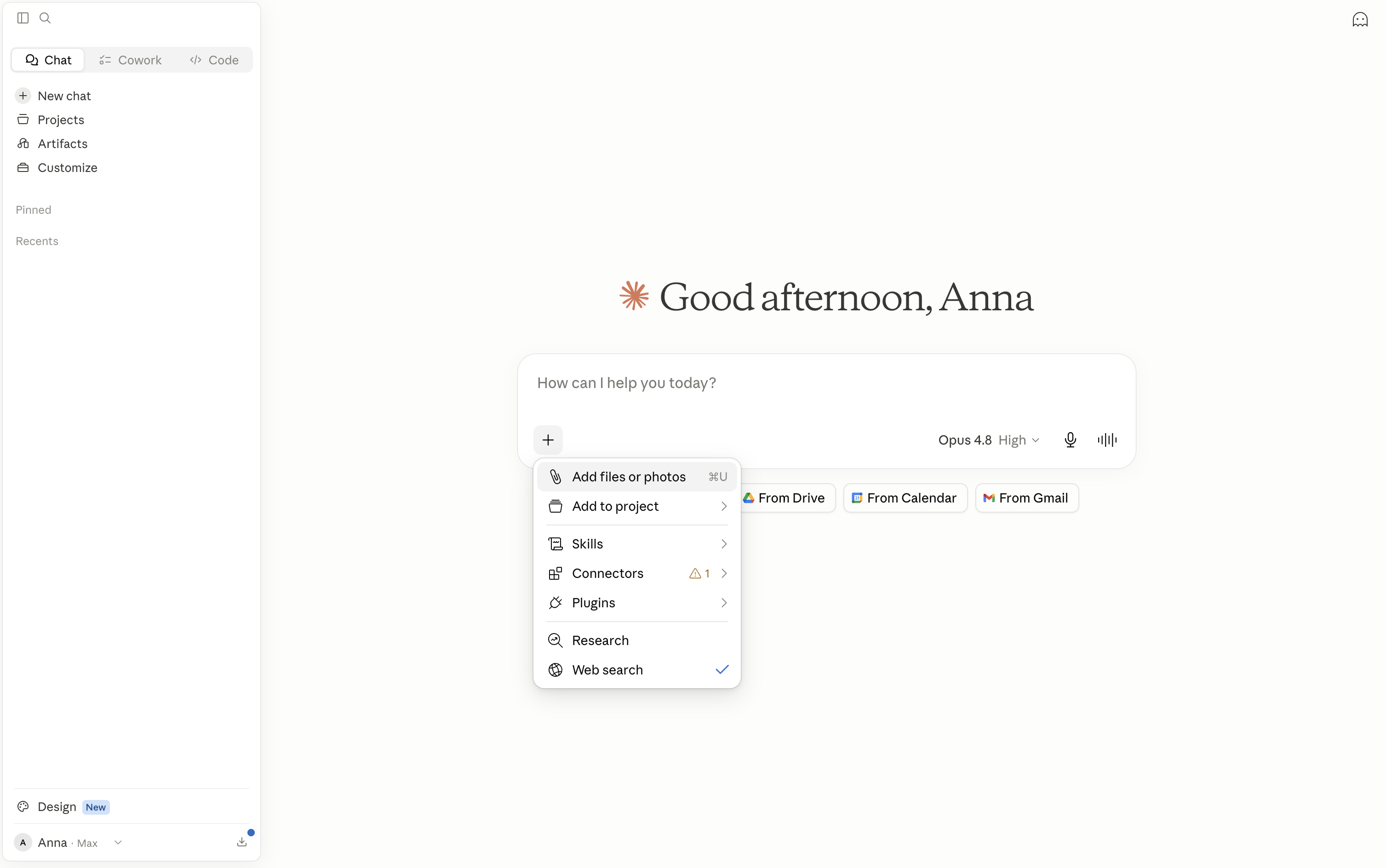
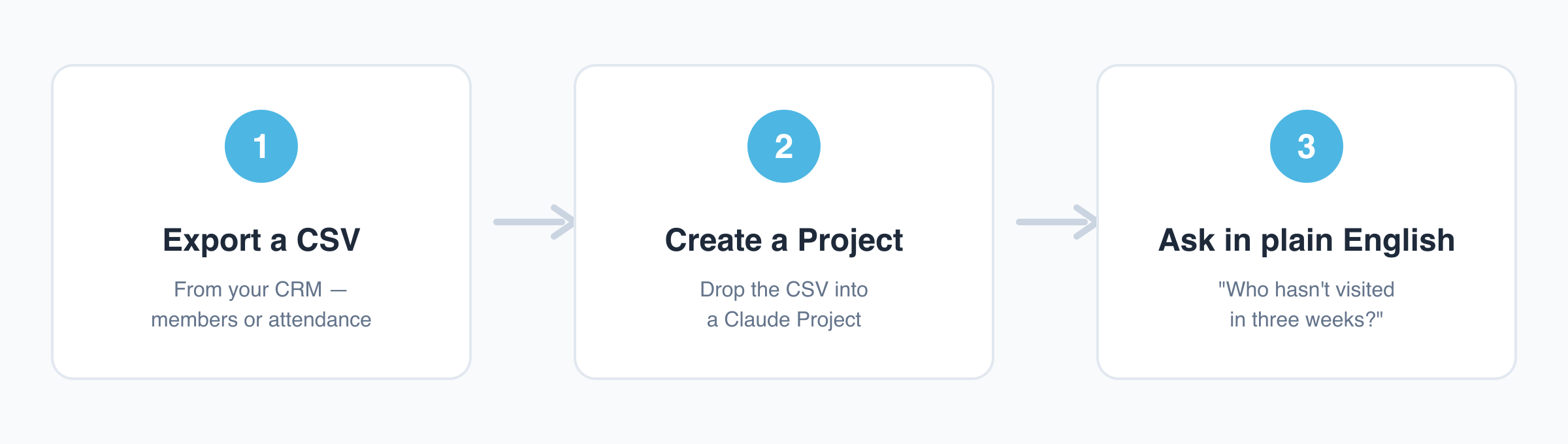
Yes, but through a manual export loop, not a live connection. Out of the box, Claude cannot see your CRM. Nothing about a general assistant gives it a line into BSport, Glofox, Mindbody, or a spreadsheet on your laptop. The loop that works today, with zero engineering, is four steps:
- Export a CSV from your CRM (start with members, attendance, or payments).
- Create a Claude Project.
- Drop the CSV into the Project's files.
- Ask a question in plain English.
That is a two-minute chore, not a project. The trade-off: the data is a snapshot from the moment you exported it. When the numbers move, you export again.
The export loop is the real mechanism, and it is good enough to get value this week.
What you can ask it about your gym
Once the export is in the Project, you ask the questions you already ask yourself. A few that map to real operator decisions:
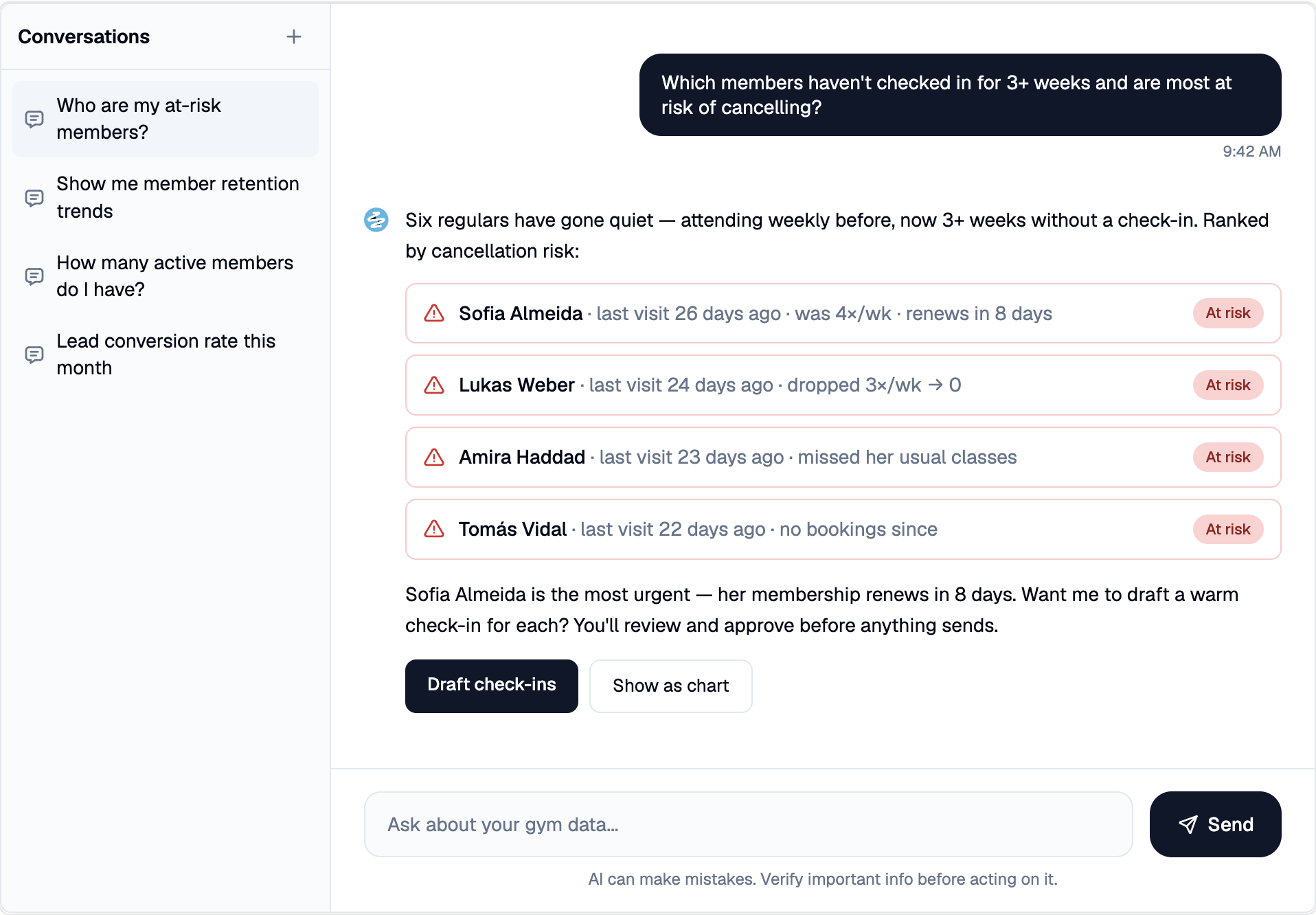
- "Which members haven't checked in for three or more weeks?"
- "Show me revenue by membership tier this quarter."
- "Draft a friendly win-back message for the lapsed members above."
- "Summarize what changed in attendance since January."
These are illustrative, not guaranteed outputs. The answer is only as good as the export: clean columns, sensible headers, the right date range. For more starting points, our list of ChatGPT prompts for gym owners works the same way with an exported file.
One control principle holds throughout: Claude reads and proposes; you approve before it acts. It surfaces who is at risk and drafts the message. You decide whether to send it. Acting on lapsing members is its own discipline, covered in how to use AI to reduce gym member churn.
Is it safe to put member data into AI?
This is the question that should make you pause. The answer: be deliberate about what you hand over. Treat it as a real privacy consideration, not a guaranteed breach, and not a reason to never try.
Here is why it matters. On consumer Claude plans, Anthropic's August 2025 terms update means your chats can be used to train models, and that setting defaults on (Anthropic, Updates to our Consumer Terms). So pasting raw member names, phones, emails, and payment history into one is a real GDPR risk for an EU studio. Not a crime, not an automatic fine, but a risk you would have to defend.
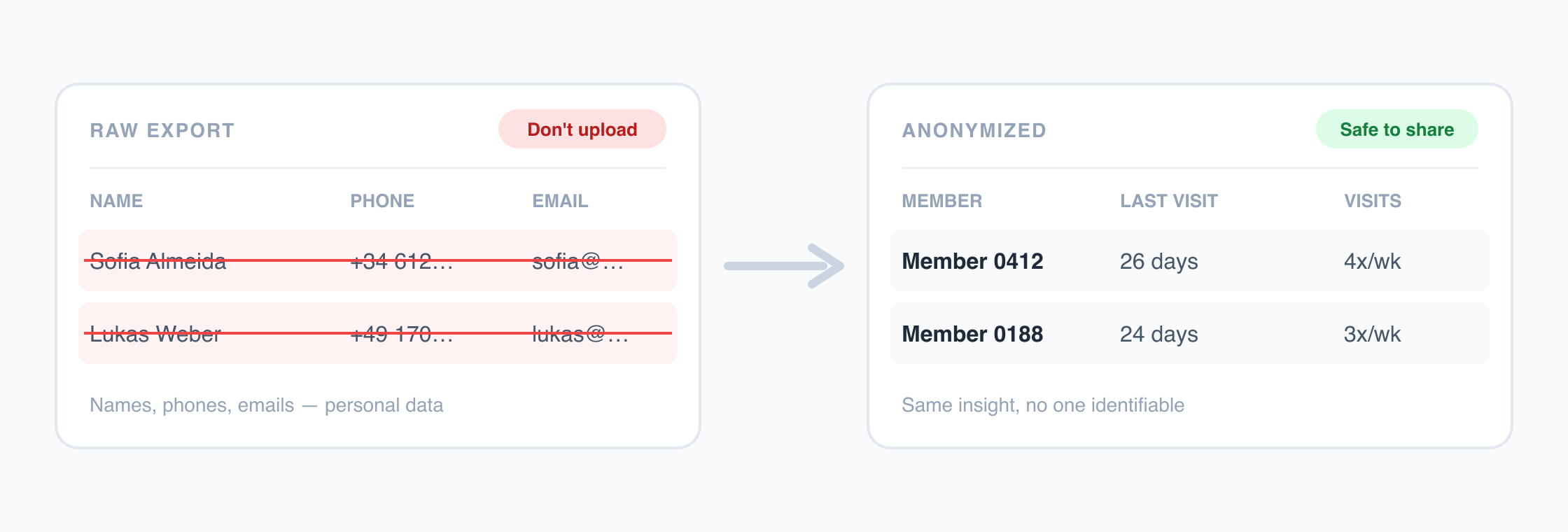
The practical fix is free and takes a minute. Anonymize the export before you upload it, and share only the fields the question needs. Strip the names and contact details, swap them for an ID, and analyze patterns instead of people. "Member 0412 lapsed after six weeks" answers the same operational question as a named record, without exposing who they are. Before you upload, glance down the columns. Does the question need the phone number and email, or just the visit dates? Usually just the dates.
One caveat: ignore any tool that promises "your data never leaves" or "it never trains on your data" without qualification. Neither is true unconditionally. For the wider regulatory picture, our explainer on the EU AI Act for fitness businesses covers the compliance landscape (it explains the rules, it is not legal advice).
How much setup this really takes
Less than you think, and you do not need a developer. The entire skill is "export a spreadsheet and ask a clear question," which anyone who can run a CRM report already has. No integration to build, no API key, no server. The real work is asking good questions and sanity-checking answers, not plumbing.
The privacy step is a one-time decision. Pick the business plan if you handle PII regularly, or build a habit of anonymizing exports if you do not. After that, every new question is just another export and another prompt.
What "MCP" means, and why it matters for gyms
MCP, the Model Context Protocol, is an open standard introduced by Anthropic in November 2024, often described as "USB-C for AI" (Wikipedia, Model Context Protocol). One shared protocol lets any AI tool plug into external data, instead of every app needing a bespoke integration. You do not need to understand it to start. It matters because it explains why some tools connect directly and others will not.
Ready-made connectors already exist for mainstream tools like Gmail, Google Drive, Slack, Notion, and Stripe, in Anthropic's connectors directory. The catch for a gym: a tool can only connect this way if someone has built an MCP connector for it. Almost no gym CRM has. So the live-connector future is here for email and payments, and not yet for gym member systems.
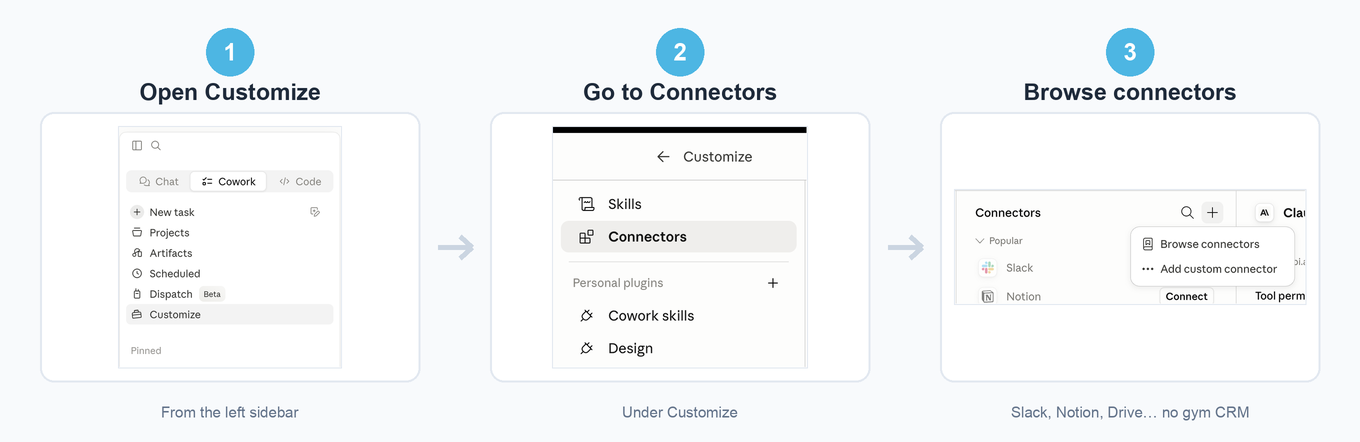
You can check this yourself in a minute. In Claude, open Customize, then Connectors, and browse — Slack, Notion, Google Drive, and dozens more are there, but no gym CRM is.
| Approach | How it connects | Setup needed | Live or snapshot | Best for |
|---|---|---|---|---|
| Manual CSV export into Claude | You export and upload | None beyond a Claude account | Snapshot at export time | Trying it this week, ad-hoc questions |
| MCP connector to a tool | Tool exposes an MCP connector | Built by the tool's maker | Live | Mainstream tools (email, payments) that already ship one |
| A platform with AI built in | Data already unified inside the product | None for you | Live | Asking questions of gym data with no export |
Why your gym software can't just do this, yet
It is not that the AI is weak. It is that your member data lives behind a CRM that has not exposed a connector for an assistant to read. Until your CRM ships an MCP connector, a general assistant has no way in, and you stay in the manual-export loop. That is the real ceiling of the do-it-yourself approach, not how clever the model is.
A different category of tool sidesteps the export chore entirely. These are platforms that already unify your gym's data and have AI built in. You ask in plain English inside the product, with no export and no waiting for someone to build a connector.
Nutripy is one example. It unifies gym data and has the AI built in. Its own MCP connector exposes dashboard widgets and KPIs to an assistant, so the loop happens without an export step. The same control principle applies: the AI reads and proposes, and the operator approves before anything goes out. For the deeper version, see our piece on conversational analytics for fitness studios.
The point is not which product. The manual loop and the already-connected category sit on the same ladder. One is free to try today. The other removes the export chore once ad-hoc questions are worth a permanent home.
How to try it this week
Here is the smallest version that still produces a real answer, in three steps:
- Export one CSV from your CRM. Start narrow: attendance or your member list, not everything.
- Create a Claude Project and add the file.
- Ask one real question, for example "who hasn't visited in three weeks?" If the file contains member personal data, use a business plan with a data processing agreement, or anonymize the names and contact details first.
Do that once and you will know more about whether this fits your operation than any article can. The manual loop works and is worth an afternoon. If exporting a CSV for every question becomes the friction, that's the chore a unified, AI-built-in platform like Nutripy removes. Either way, the first useful answer is one export away.
FAQ
Can Claude connect directly to my gym CRM?
Not on its own. A general assistant has no built-in line into a gym CRM. It can only connect if the CRM has built an MCP connector for it, and almost none have yet. Until then, the working method is to export a CSV, upload it into a Claude Project, and ask there. The exception is a different category of tool. Some platforms sit on top of your gym systems, unify the data, and expose their own MCP connector — Nutripy is one example. Claude and other AI assistants can then reach that data through the connector, instead of you waiting for your CRM to build one.
Is it safe to upload member data into AI?
On consumer Claude plans, chats can be used to train models by default since the August 2025 terms update. That makes raw member personal data a real privacy risk for an EU operator. The simple, free fix is to anonymize personal details before uploading. Strip names and contacts, use an ID, and share only the fields the question needs. That way you analyze patterns rather than identities.
Do I need a developer to use AI on my gym's data?
No. The basic loop is export a CSV, create a Claude Project, drop the file in, and ask in plain English. If you can run a report in your CRM, you already have the skill. There is no code or integration to build.
What is MCP and do I need to understand it?
MCP, the Model Context Protocol, is an open standard from Anthropic (November 2024). It lets AI tools plug into external data through one shared connector instead of a custom integration per app. You do not need to understand it to start. It explains why some tools, like email and payment apps, can already connect live while most gym CRMs cannot yet.
Will my gym software get this built in?
Some platforms already have AI built in with your gym data unified inside the product, so you ask without any export. Nutripy is one example: your members, attendance, and payments live in one place, and you ask in plain English right inside the platform. For a generic assistant to reach your current CRM instead, that CRM has to expose an MCP connector first. Most have not done that yet. The timeline depends on your specific software, not on the AI.